Managing your first direct credit card

Here's how to do everything from changing your PIN to completing a balance transfer.

What can we help you with?

We've got all the information you need to help you manage your first direct credit card.

Want to view your card details?

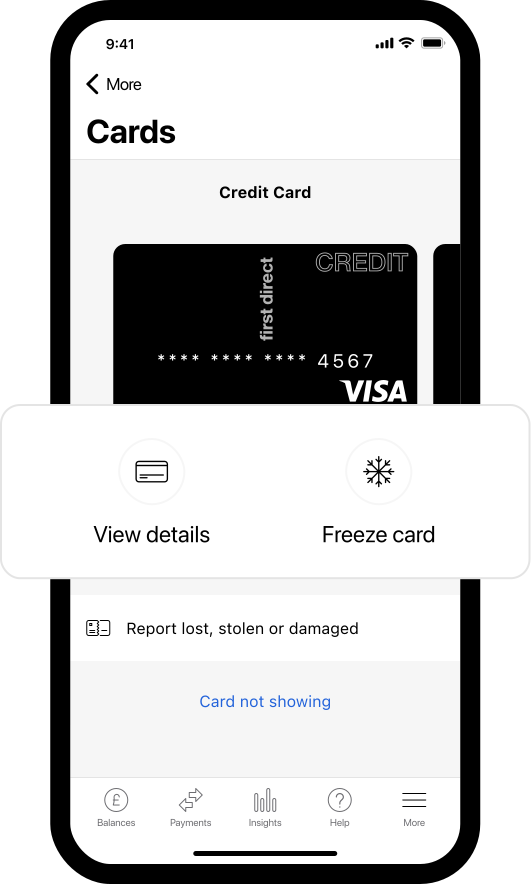
If you haven't got your credit card to hand, don't worry, you can view those details in our App. Here’s how:

  1. Log on to our App using your face, fingerprint or Digital Secure Key as you do normally
  2. Go to the menu (On an iPhone, tap the three lines in the bottom right of the screen. On an Android device tap the three lines in the top left of the screen)
  3. Choose ’Cards’
  4. Choose ‘View details’
  5. Finally, re-confirm your identity by using your face, fingerprint or Digital Secure Key.

If you have just received a new card, don't worry, the great news is your card details will be available immediately on our App. 

Lost, stolen or damaged card?

If you've lost your card or you're worried it has been stolen, it's best to take action quickly.

  • report it in the App (fastest option)
  • don’t have the App? Call 03456 100 100
  • misplaced it? You can freeze/unfreeze your card in the App.


Make changes to your card limit

You can do this on our App:

  1. go to Help then Chat now
  2. type I need to increase my card limit or I need to decrease my card limit
  3.  follow the on-screen instructions


To do this via Online Banking select 'Message us' and type the same message. Alternatively, you can call us on 03456 100 100 and we’ll be happy to help.

FAQs